Moving from a single head office to a scattered organisation has changed the very scale of equipment management. You are no longer managing a central stock, but a multitude of remote micro-offices.
This shift has brought new operational constraints:
- More delivery points: shipping now goes from one private address to another, multiplying intermediaries and the risk of delivery incidents.
- Outdated physical inventories: the annual audit at the office now covers only a small fraction of the actual equipment. The rest of the fleet slips off the radar.
- Friction when employees leave: this is the biggest pain point of remote work. With no one on site on the last day, getting equipment back becomes uncertain and time-consuming.
Diagnosis: where is your company's equipment really disappearing?
The lack of remote tracking creates very specific blind spots. The table below sums up the most common losses and their impact on your organisation:
| Risk situation | Main cause | Direct consequence |
|---|---|---|
| Unreturned equipment | Unclear, late or manual offboarding process | Outright loss of recent equipment and major data security risks |
| Duplicate purchases | Idle equipment at employees’ homes that nobody has identified | Unnecessary repurchases of screens or accessories already available within the company |
| Unreported failures | No simple way to report an equipment issue from home | Lower productivity, employee frustration and premature wear of assets |
| Onboarding delays | Shipping to new hires not planned in advance | Poor employee experience (onboarding) from day one |
Building frictionless traceability
Keeping control of your mobile assets does not mean setting up intrusive monitoring. The key is shared accountability, backed by simple, smooth digital processes.
1. Named assignment
Every item that leaves the office, or is delivered directly by the supplier, must be linked to a user profile straight away. When a laptop or screen is handed over, the employee confirms receipt with a digital signature or a one-click confirmation. From day one, everyone knows exactly who is responsible for what.
2. Self-service inventory with QR codes
Rather than running long manual audit campaigns, rely on self-inventory. Once or twice a year, employees are asked to scan the QR code label on their equipment with their smartphone. In a few seconds, they confirm that their items are there, where they are and what condition they are in. The fleet is updated without any direct IT involvement.
3. Centralised data serving every department
Shared Excel files, duplicated from one department to the next, are the main cause of tracking errors. By centralising your inventory in a single cloud platform, IT, HR and Facilities share one single source of truth, available in real time.
Fleezy tip: always pair your remote work policy with an equipment use policy. This document sets clear rules on care, transport and reporting damage, and specifies a strict return deadline (e.g. within 8 days of the end of the contract).
Hybrid logistics: securing the two key moments of the employee journey
An employee's arrival and departure are the two windows when the risk of losing equipment is highest. Here is the operational process to put in place to secure these transitions.
When an employee joins (onboarding)
- Initial assignment: link serial numbers and accessories to the new employee's account in your management tool.
- Secure shipping: send the configured equipment, with parcel tracking, directly to the employee's home address if they cannot come to the office.
- Confirmation on receipt: the employee confirms receipt and accepts the terms of use online as soon as they open the box.
When an employee leaves (offboarding)
- Automatic trigger: the exact list of assigned equipment is generated as soon as HR reports the departure.
- Easier returns: send a prepaid return label and schedule a home pickup by courier if the employee cannot come to the office.
- Check and return to stock: on arrival at head office or a logistics centre, check that the equipment works and put it back into available stock.
Fleezy: your control tower for mobile equipment
Managing a distributed equipment fleet should not become a daily mental load. Fleezy was designed to give you full visibility over your assets, wherever your employees work:
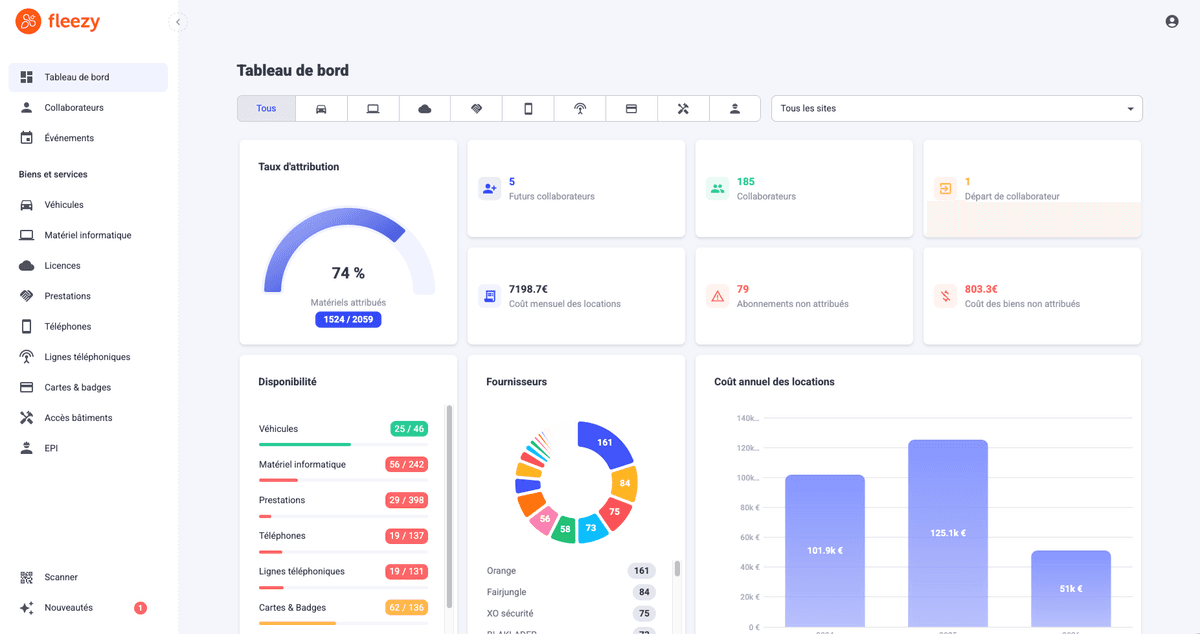
- Real-time overview: instantly see the holder, value, location and condition of every item in your fleet.
- Offboarding without oversights: generate the exact return form for a departing employee in seconds and track the return of each item.
- Make the most of idle stock: see at a glance which equipment is available at the office, so you can reassign it instead of buying new.
Want to simplify the management of your hybrid equipment and avoid losses? Book a Fleezy demo.
FAQ
In practice, the employer. They provide the equipment needed for the job (laptop, screen, headset, smartphone) and cover the costs incurred for work purposes. The details are usually set out in the company's remote work agreement or policy.
Each item must be assigned to a named employee, with the handover confirmed by them. A QR code label then lets employees confirm the presence and condition of their equipment themselves with a single scan. Everything is centralised in equipment management software, accessible to IT, HR and Facilities.
Plan ahead as soon as the departure is announced: generate the exact list of assigned equipment, send a prepaid return label or arrange a home pickup, then check the equipment on arrival. An equipment use policy that sets a return deadline makes the process much smoother.
It sets out the rules for caring for and transporting equipment, the procedure for reporting damage, loss or theft, any conditions for personal use and the return deadline at the end of the contract. Signed by the employee, it clarifies everyone's responsibilities.