How to Migrate From Excel to Asset Management Software (Without Breaking Everything)
You’ve already run the diagnosis. Excel has hit its limits: version conflicts, outdated data, unreturned equipment during employee offboarding, missed maintenance alerts. The question is no longer "Should we change?" but "How do we do it without disrupting everything?"
Still in the decision phase? Read our comparative guide: Asset Management Software vs. Excel first.
What You Leave Behind When Ditching Excel
Before migrating your data, identify your current bottlenecks. The goal isn't to blame your existing processes, but to ensure the new asset management solution addresses every pain point.
Cascade Saisie Errors
As soon as multiple people update the same file, inconsistencies stack up. An accidentally deleted row, an unsaved edit, and the entire equipment inventory becomes unreliable. Most managers admit they eventually stop trusting their own spreadsheet.
Zero Proactivity
Excel won't notify you when a warranty expires in 15 days, a scheduled maintenance is due, or a lease contract tacitly renews. You end up putting out fires instead of anticipating them.
Untraceable Assignment History
Who had this laptop six months ago? Why was this tool sent for repairs? In Excel, tracking equipment history is time-consuming and imprecise. This becomes a real issue during offboardings: when an employee leaves, no one knows exactly which IT assets were assigned to them.
The Real Barrier to Migration: Change Resistance
Resistance to change is usually human, not technical. If your teams are used to working in Excel, they might view a new platform as an added burden. This isn't inevitable, provided you plan ahead.
Involve Key Users From Day One
Don't roll out a tool without consulting the people who manage equipment daily: IT admins, technicians, site managers, and Office Managers. List their current pain points on Excel. They will become your best advocates if you include them in the decision.
Demand a Truly Intuitive Interface
The selected asset tracking software must be faster to use than a spreadsheet, not slower. If onboarding requires days of training, the project will fail. Finding an asset in less than three clicks should be your non-negotiable metric.
Highlight the Benefits
Employees adopt tools that make their lives easier. Show them concrete wins: no more manual serial number entries, instant QR code scanning via mobile, and instant equipment lookups by name or user.
5 Steps to Migrate From Spreadsheets to Fleezy
Switching tools doesn't mean starting from scratch.
Step 1 - Clean up your existing files
Before importing anything, remove duplicate entries and purge outdated inventory data. Importing dirty data only creates mess in a clean database.
Step 2 - Import your data in minutes
No need for manual re-entry. You can import your Excel or CSV files directly into Fleezy to map your existing inventory. With its rapid setup, you get your asset structure back immediately.
Step 3 - Define roles and permissions
Fleezy lets you grant unlimited user seats. Assign appropriate permissions based on user profiles (admin, site manager, read-only HR or IT). Setting up clear user access from the start ensures smooth adoption.
Step 4 - Label your assets with QR codes (optional)
To prevent manual entry errors in the field, link your assets to QR code or barcode labels. Teams simply scan the equipment using their smartphone to assign assets, run physical audits, or report issues.
Step 5 - Cut off access to the old Excel file
This is the step everyone postpones. Switch your old spreadsheet to read-only mode on launch day. Without a clean cut, team members will keep updating the old file out of habit, leaving you with two diverging data sources.
Fleezy: Designed for Day-One Team Adoption
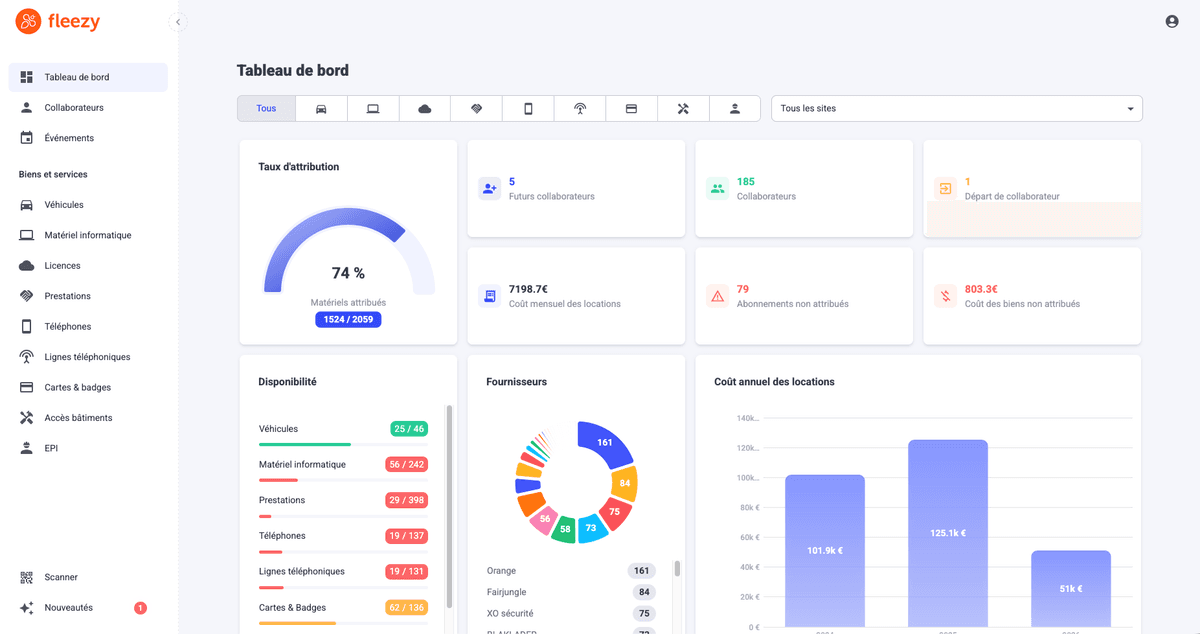
Built to eliminate spreadsheet headaches without adding complexity, Fleezy centralizes all your assets (IT equipment, phones, tools, vehicle fleets, badges) into a 100% cloud-based SaaS platform.
What you gain:
- Fast deployment: Import your existing inventories and get up and running immediately with zero downtime.
- QR code tracking: Conduct dynamic inventories and track active employee assignments in real time.
- Smart maintenance alerts: Never miss a critical deadline again (maintenance schedules, warranty renewals, compliance checks).
- Proven loss reduction: Cut equipment loss by up to 70% in year one and achieve an average ROI of +300%.
Say goodbye to outdated spreadsheets and manual data entry errors.
Deploy Fleezy in under a day and centralize your entire asset fleet.